Home
Products
Purchase
Downloads
Support
Education
Partner
About Us
Developer Login
Email:
Password:
Forgot Password?


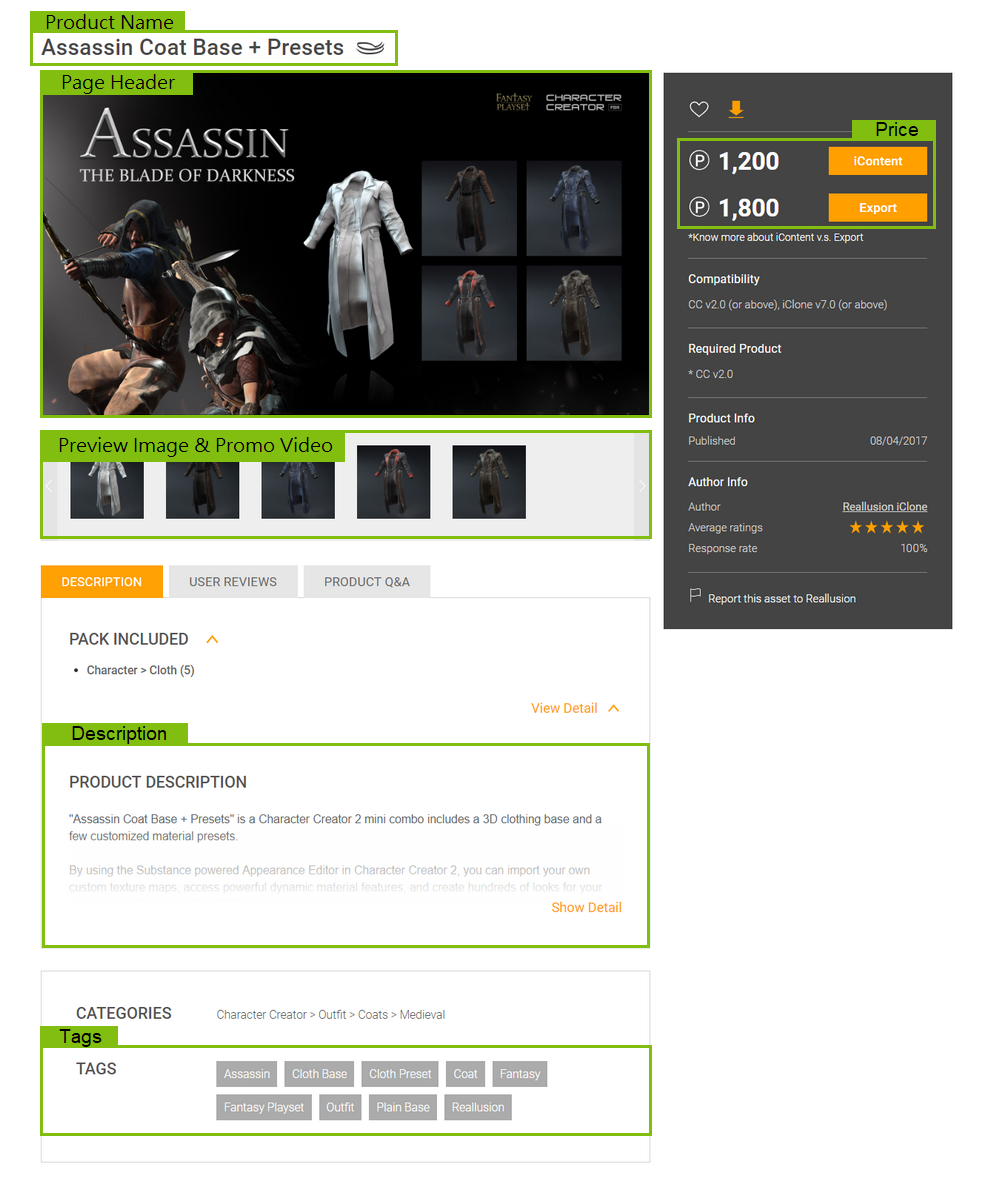
Pack Image- Your long-lasting impression on the customer

Your image needs to encourage them to want to know more and to, finally, buy your product as opposed to another pack. It needs to show off what your content will contain, and most importantly, why the customer “needs” your content in their next project!
The design of the image should excite the customers. They need to feel “wooed” by your pack image. The pack image needs to plant seeds of inspiration as well as show off what you have.
 
 
Diagram of a pack image. This is just for reference only, not required.
 

1- Potential Logo or Title Position
2- Main Image
3- Potential Title Position
4- Potential Logo Position
5- Main Image continues, or Fade
6- Potential Logo Position
7- Potential break-off point of Main Image

use all space to right of 7 as collage or Additional information

Criteria of Pack Images
2-1 Product Name and Slogan
  1.Clear, roughly takes layout ¼ size
  2.Proper font use, anti-alias
2-2 Relevance, best represent this product
  1.Using content from this pack
2-3 Image Quality
  1.Clear, sharp and good contrast
  2.Good rendering quality (pixel shader), good light setting
  3.Natural character pose
2-4 Correct use of Standard Icons
  1.size
2-5 Company name, logo or Author Signature
  1.Keep consistent for the same author
  2.Provide related product line to build awareness of domain expertise
 

General Advice & Tips from Experts:
1. Pack Image’s size is 785 x 385. Please create your pack image based on this size, or the image may be distorted or stretched.
2. Try to display how the product looks in iClone when making the Pack Image. Good lighting skills can make your product stand out.
3. Before making the Pack Image, you should design the layout first. First decide the location and size of the title, and then decide how to place the image. This will avoid the title blocking the focal point of the image.
4. The key to design a Title is readability and appropriateness. You can also add more information about the product, and use bullet points to briefly describe the feature and quality of the product.
5. You can use image editing software (ie: Photoshop, Photoimpact) when making Titles, and use shadow or halo effect to enhance the visual effect.
6. Not everything in the pack must be on the pack image. You can display your selling point on the pack image and display single items on the Promo Image.
7. To better display the items, avoid using complicated background images under the normal circumstances.


Questions or Comments: Contact Us - Copyright 2005-2006 Reallusion, Inc. [back to top]

 
Privacy Policy | EULA | RSS Feed | Site Map